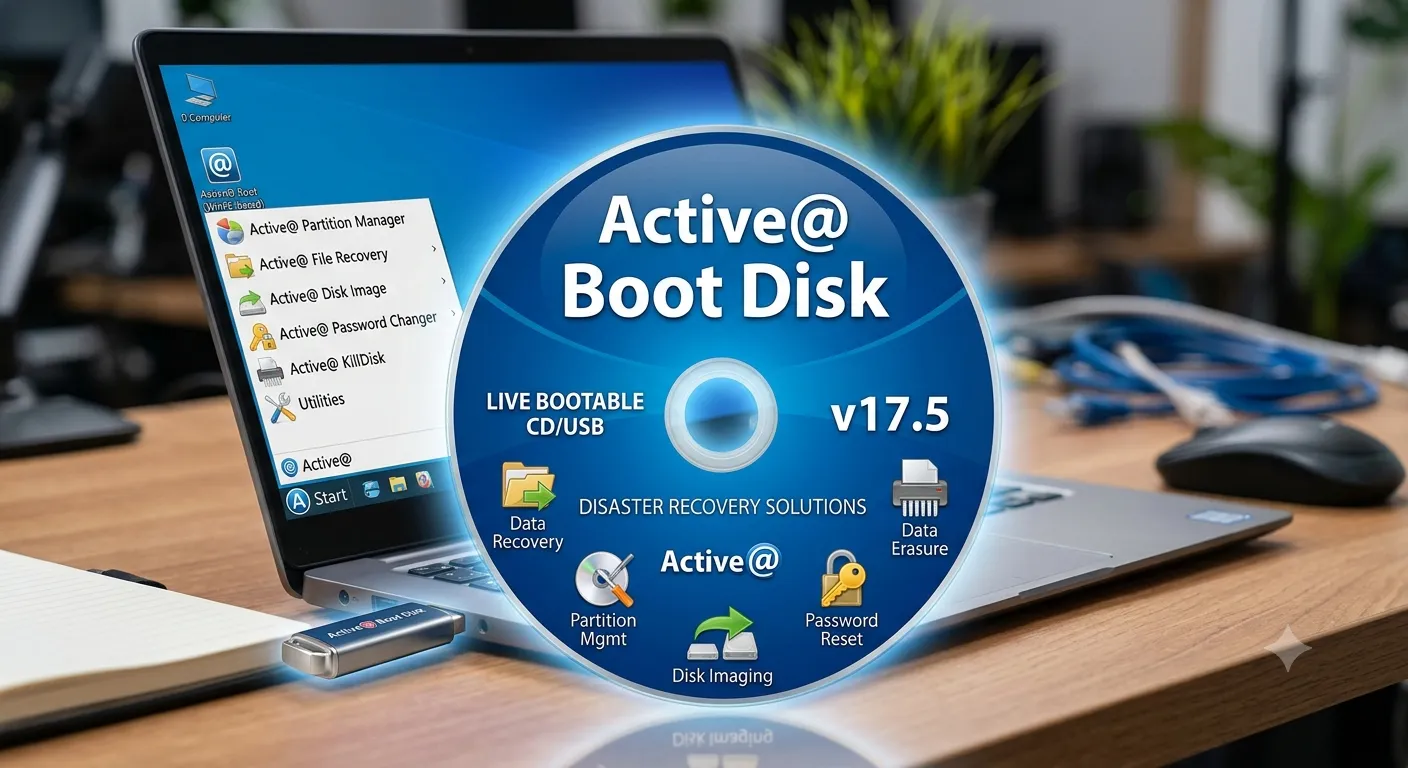
Active@ Boot Disk The Awesome System: A Comprehensive Encyclopedia of the Ultimate Rescue Tool
Since the earliest days of personal computing, an operating system crash has been a nightmare for users and organizations alike. Blue screens of death, file-encrypting viruses, partitioning errors, or a forgotten administrator password are predicaments that once required either a full reinstallation with data loss or costly expert intervention. In this context, an urgent need arose for a "software Swiss Army knife" capable of resurrecting dead machines without harming valuable information. Here, Active@ Boot Disk emerged as a pioneering solution from LSoft Technologies, a company that established its reputation in the 1990s with data recovery and disk protection tools.
The system is not just an ordinary program; it is a complete miniature operating environment (Bootable OS) built on the Windows PE (Preinstallation Environment) kernel. It is written to a USB memory stick or DVD, providing the user with a familiar Windows graphical interface that operates completely independently from the failing operating system on the hard disk. Once booted from this medium, a technician or everyday user is greeted with a desktop containing an arsenal of tools capable of repairing boot errors, recovering deleted data, imaging disks, bypassing passwords, and wiping data to military standards. This integration is what has made it one of the most venerable professional systems in the history of computer repair.
In this article, we will dive deep into Active@ Boot Disk, examine its tools in detail with their mechanisms and practical scenarios, and analyze its technical evolution since its inception. We will also present real-world case studies proving its effectiveness, discuss the ethical and security aspects of its advanced uses, and chart a roadmap for the future of such systems in the era of cloud computing and artificial intelligence. The goal is to provide a comprehensive reference guide for professionals and enthusiasts alike.
What Is Active@ Boot Disk? Origin and Evolution
[DEV] زيارة محظورة — IP: ::1
Active@ Boot Disk was born from the vision of Canadian company LSoft Technologies to unify all its powerful tools on a single bootable platform. Before this system, technicians had to use multiple floppy disks or complex DOS tools to access a hard drive and recover files. In the early 2000s, with the spread of Windows XP and 2000, the company released the first versions of this rescue disk. Back then it was merely an enhanced DOS environment, but it already carried the core of its famous programs like File Recovery and Partition Recovery.
With the advent of Windows PE as a flexible platform from Microsoft, Active@ Boot Disk made a quantum leap. It became possible to build a full graphical interface supporting modern drivers, TCP/IP networking, and the NTFS file system natively. Thus it evolved from a mere emergency tool into a complete work environment that can connect to the internet to download drivers, browse the web, or upload recovered files to cloud storage. Today, the system supports the latest file systems like ReFS and exFAT, GPT/UEFI disks, and various RAID configurations, making it capable of handling the latest servers and workstations.
Windows PE Environment: The Foundation Beneath the Awesome System
[DEV] زيارة محظورة — IP: ::1
To understand the power of Active@ Boot Disk, one must grasp the concept of Windows PE (Preinstallation Environment). It is a miniature operating system from Microsoft, originally designed for installing Windows and troubleshooting, and it runs entirely from RAM without needing a hard disk. The crucial advantage is that Windows PE uses the same kernel and drivers as a full Windows system but in a size not exceeding a few hundred megabytes. This allows standard Windows applications to run after being specially prepared for this resource-limited environment.
Active@ Boot Disk relies on this foundation, adding a custom graphical shell, hundreds of additional drivers for storage and network devices, and the libraries of the company's own tools. Upon boot, the system builds a RAM disk in memory, decompresses its files there, and then launches a user interface closely resembling Windows 10 or 11. The result is a virtual, lightning-fast system that touches the affected hard disk only on demand, preventing unintended writes that could destroy data recovery opportunities.
Creating a Bootable USB Flash Disk Step by Step
[DEV] زيارة محظورة — IP: ::1
The main program, Active@ Boot Disk Builder, comes as a ready ISO file or an interactive installation tool. The optimal method is to use the official Boot Disk Creator, installed on a working machine. You run the tool, select the empty USB drive (at least 2 GB) from the drop-down menu, and click "Create." The tool automatically formats the flash drive with the FAT32 file system to support UEFI boot, and copies the Windows PE files and the integrated Active@ tools. You can also add custom drivers for rare storage devices or load a separate ISO image to burn to DVD if required.
For advanced users, options are available to modify the disk image: adding extra portable applications, injecting security updates, or even including scripts to automate certain tasks upon boot. Once finished, you plug the flash drive into the broken machine, enter BIOS/UEFI settings to adjust the boot priority. Within seconds, the machine boots from the USB, and a familiar Windows environment appears with tool icons arranged on the desktop, ready to launch the rescue operation.
Active@ File Recovery: Recovering Files Even After Formatting
[DEV] زيارة محظورة — IP: ::1
The File Recovery tool is the beating heart of the Active@ suite. It operates on the principle of deep scanning raw sectors on the hard disk looking for file signatures, such as FF D8 FF for JPEG images or 25 50 44 46 for PDF documents. When a user deletes a file or empties the recycle bin, the operating system does not actually wipe the data; it only removes the pointer from the master file table (MFT in NTFS). The tool analyzes these scattered remnants using advanced algorithms to reconstruct the file even after a quick format.
A practical example illustrates its real power: imagine a 1 TB external hard drive that held a huge video project and was accidentally formatted. Running Active@ File Recovery from the boot disk, you select the target drive and launch "SuperScan" mode. After several hours, the tool displays a list of thousands of recoverable files, categorized by type, with the ability to preview images and documents before restoration. The tool supports all popular file systems including NTFS, FAT32, exFAT, and even HFS+ and APFS from Mac devices when read support is available.
Active@ Password Changer: Bypassing Passwords Without Data Loss
[DEV] زيارة محظورة — IP: ::1
Forgetting the administrator password for Windows 10, 11, or any Windows Server edition is not the end of the world. The Password Changer tool uses a non-destructive offensive approach: it does not "guess" the password, but directly accesses the Security Account Manager (SAM) database located at C:\Windows\System32\config and modifies the stored password hash. The process is very fast, taking under a minute, and resets the administrator account password to a blank value or a new password chosen by the user.
A key advantage is that the tool causes no damage to user data or Encrypting File System (EFS) encryption because it does not try to decrypt files, only changes the authentication mechanism. It supports local accounts with high efficiency, while handling Microsoft Live ID accounts differently by disabling the password requirement for local login. A clear ethical warning: the tool must only be used on devices you own or have explicit written authorization to manage, as bypassing passwords without permission is a clear legal violation in most countries.
Active@ Disk Image: Full Backup and Disaster Recovery
[DEV] زيارة محظورة — IP: ::1
A disk image is an exact sector-by-sector copy of an entire hard drive, including the operating system, applications, settings, and files. In a catastrophic failure, this image can be restored to a new disk within minutes, returning the machine to a specific previous point in time. The built-in Disk Image tool outperforms many free solutions with its ability to perform live backup (hot backup) using Volume Shadow Copy technology, copying disks even while the system is running without needing to close applications.
Incremental and differential backups are further advanced options. Incremental backup captures only changes since the last backup, saving enormous storage space. When needed, the image file can be mounted directly from within Active@ Boot Disk to browse its contents as if it were a physical disk, allowing extraction of a single file rather than restoring the entire disk. This strategy is ideal for IT administrators who can maintain monthly, weekly, and daily copies within a 3-2-1 backup policy.
Active@ KillDisk: Secure Erasure to Military Standards
[DEV] زيارة محظورة — IP: ::1
When it is time to dispose of storage media containing sensitive or financial information, simple deletion or quick formatting is insufficient. The KillDisk tool applies multi-pass overwriting algorithms to every physical sector, making data recovery impossible even with advanced data recovery lab equipment. The tool supports over 20 international standards, most notably the US Department of Defense DoD 5220.22-M and the legendary 35-pass Gutmann standard.
It can be programmed to operate over a network to wipe a set of entire server disks in one batch. It also generates detailed audit reports with digital signatures valid for legal purposes and to demonstrate compliance with data protection regulations such as GDPR and HIPAA. The selective wipe feature allows erasing only the free space (wiping deleted files) without affecting existing files, preventing recovery of old deleted data while keeping the system intact. It is an indispensable tool for finance, legal, and any sector dealing with sensitive data.
Active@ Partition Recovery: Rescuing Damaged and Deleted Partitions
[DEV] زيارة محظورة — IP: ::1
The partition table is the map that tells the operating system where each partition begins and ends. Corruption of this table, whether due to a virus, human error, or power surge, makes the entire hard drive appear empty. The Partition Recovery tool reverse-engineers the disk structure: it scans cylinder zero (the MBR or GPT boot sector) and searches for file system signatures across the entire disk. When it finds the start of an NTFS partition, for example, it analyzes its boot sector to determine its original size and location.
The tool offers two modes: quick scan, which analyzes remaining partition tables, and deep scan, which takes longer but detects partitions even after multiple repartitioning and reformatting operations. The user can preview the contents of discovered partitions before writing them back to the table, verifying data integrity before committing to the repair. Its support for both GPT and MBR schemes makes it compatible with modern large-capacity drives (over 2 TB) and UEFI-equipped servers.
Auxiliary Tools: Browser, File Manager, S.M.A.R.T Monitoring, and Registry Editor
[DEV] زيارة محظورة — IP: ::1
Alongside the specialized tools, Active@ Boot Disk includes a suite of auxiliary applications that turn it into a self-contained work environment. The lightweight built-in browser allows downloading drivers from manufacturers' websites directly during the session, or uploading recovered files to cloud storage services like OneDrive or Google Drive, enabling file rescue even without an external storage medium. The integrated file manager supports NTFS security properties, facilitating permission adjustments on protected files that prevented the original system from booting.
The S.M.A.R.T (Self-Monitoring, Analysis, and Reporting Technology) monitoring tool reads internal health data from the hard disk, such as the number of reallocated bad sectors, operating temperature, and total power-on hours. This allows the technician to diagnose whether the problem is logical or whether the disk is about to physically fail. Last but not least, the Registry Editor allows loading the registry hives of the broken system offline and manually modifying its keys. This ultimate solution rescues Windows systems that refuse to boot due to driver or service conflicts, as the offending service can be disabled from outside the system entirely.
Case Study: Rescuing a Server from a Complete Crash Using Active@ Boot Disk
[DEV] زيارة محظورة — IP: ::1
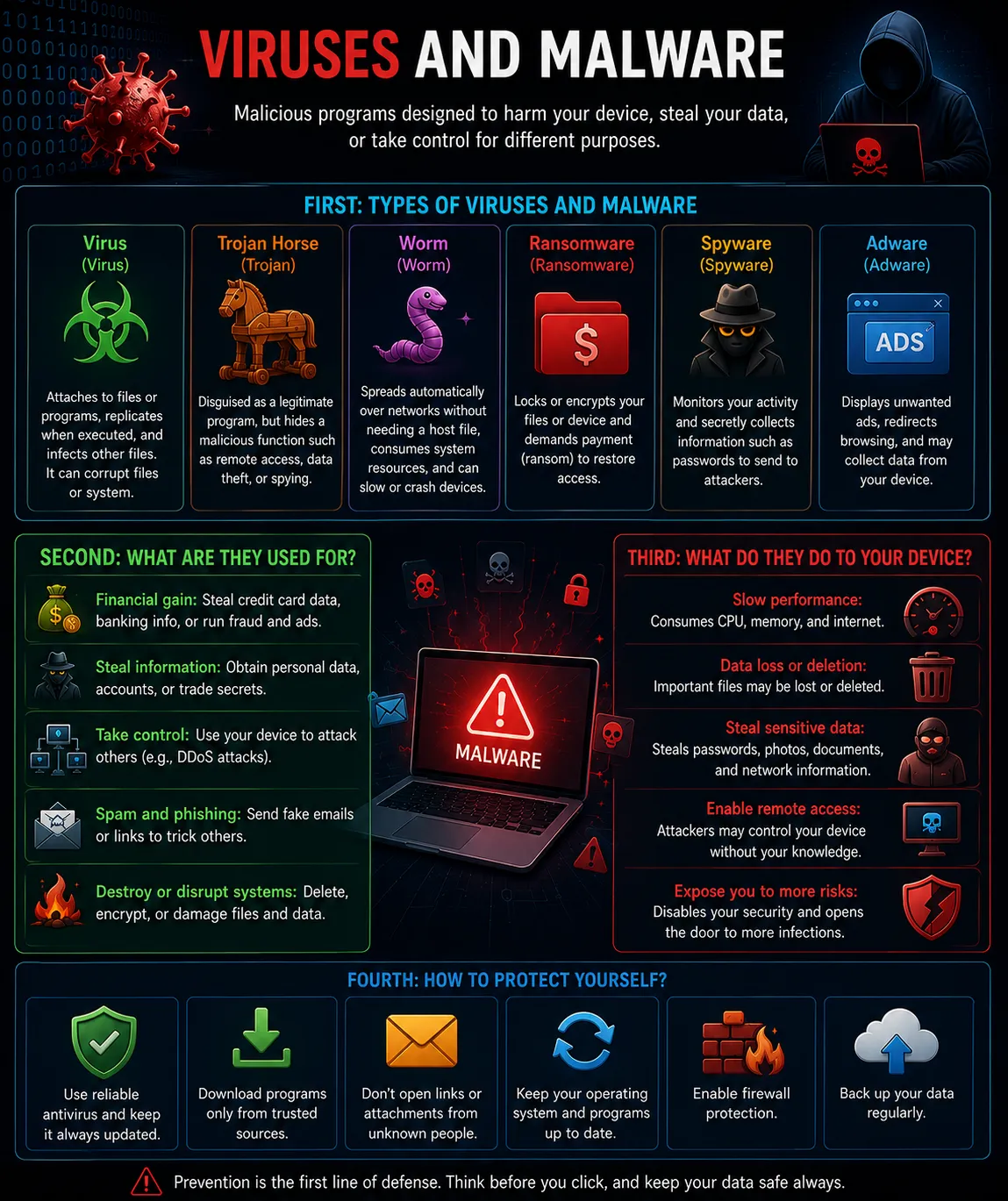
In the summer of 2024, a mid-sized logistics company fell victim to a ransomware attack that encrypted all its database server files and brought operations to a complete halt. The server was running Windows Server 2022, and the partitions were partially hidden due to the ransomware's attempts to modify the master boot record (MBR). There was no recent offsite backup. An IT support team was called in with a USB drive containing Active@ Boot Disk.
The server was booted from the flash drive, and using the Partition Recovery tool, the original partition table that the virus had tried to corrupt was rebuilt. Subsequently, using File Recovery with deep scan, the original database files (SQL MDF and LDF) that had been deleted after encryption were recovered. Fortunately, the ransomware's algorithm replaced original files with encrypted ones and then deleted the originals, leaving the original file signatures intact beneath the unused sectors. The recovered data was saved to an external drive connected via USB 3.0. In under 8 hours, the company was back in operation with minimal losses. This case embodies the concept of the "awesome system" in practice.
Global Data Recovery Software Market Statistics and Indicators
[DEV] زيارة محظورة — IP: ::1
According to a report by Allied Market Research in 2025, the global data recovery software market reached approximately 13.2 billion US dollars, and is projected to exceed 24 billion dollars by 2030, with a compound annual growth rate (CAGR) of 12.8%. This growth is driven by increasing cyberattacks, the spread of remote work, and the inflation of data volumes. Within this market, external boot-based tools like Active@ Boot Disk represent a specialized segment estimated at around 800 million dollars, serving repair technicians and service centers.
Usage statistics show that 65% of instances calling for bootable rescue tools were due to operating system errors (boot errors, failed updates), 20% due to unintentional user file deletion, 10% due to viruses and ransomware, and 5% for early physical causes diagnosed via S.M.A.R.T before complete failure. Moreover, 78% of recovery operations using such tools succeed in restoring at least 90% of lost files, demonstrating the efficiency of raw scanning compared to software solutions running inside the crashed system itself.
Simulated Dialogue: Tech Support Consultation
[DEV] زيارة محظورة — IP: ::1
User: My laptop won't boot; it shows the message "Boot Device Not Found." I have Active@ Boot Disk on a USB flash drive. What should I do first?
Technician: Welcome. Start by booting from the USB after adjusting the BIOS. Once you enter the Active@ environment, open the Partition Recovery tool first. Select the internal hard drive and start a quick scan. If your missing partitions appear, preview their contents to confirm data integrity, then choose "Rebuild Partition Table." In most cases, this restores the system's ability to boot after a restart. If that fails, we will proceed to check disk health using S.M.A.R.T.
User: The partition recovery succeeded, but Windows is asking for an account password I can't remember. Can you help?
Technician: Certainly, that's a common scenario. From the Active@ desktop, run Password Changer. Select the Windows folder installed on the disk (usually C:\Windows), then choose the administrator account from the list, and click "Reset Password." Leave the field blank to log in without a password. Once complete, restart the machine and you will be able to sign in. Remember, this tool is for legitimate use only.
Roadmap: Evolution of Active@ Boot Disk Versions Over Time
[DEV] زيارة محظورة — IP: ::1
- 2002: Version 1.0 based on DOS with a text interface, supporting FAT16/FAT32 and containing only File Recovery and Password Changer.
- 2006: Version 3.0 based on Windows PE 1.5 (from Windows XP), first primitive graphical interface, added NTFS support.
- 2010: Version 5.0 based on Windows PE 3.0 (Windows 7), added Disk Image, TCP/IP networking support, and an internet browser.
- 2015: Version 8.0 based on Windows PE 5.0 (Windows 8.1), UEFI and Secure Boot support, added KillDisk with audit reports.
- 2019: Version 12.0 based on Windows PE 10 (Windows 10), NVMe and USB 3.1 support, added file preview before recovery.
- 2024: Version 18.0 based on Windows PE 11 (Windows 11), ReFS and APFS support, cloud integration, and AI enhancements for sorting recovered files.
Intervention Priorities in Different Disaster Scenarios
[DEV] زيارة محظورة — IP: ::1
When a disaster strikes, a technician must prioritize tool usage based on the nature of the problem. If symptoms point to logical damage only (error message "No bootable device" or missing partitions), the highest priority is Partition Recovery, followed by repairing the boot registry using the Registry Editor or the startup repair tool. If the goal is to retrieve important files that were just deleted, File Recovery is the first step, avoiding any writes to the affected disk to preserve sectors.
In ransomware attack cases, the following order is advised: first, KillDisk to thoroughly wipe infected parts if there are backups that will be restored later, or File Recovery to retrieve the original deleted copies before applying Disk Image to clone the system after cleaning. Absolute priority remains to check S.M.A.R.T.: if mechanical values indicate impending collapse (many pending sectors), an exact disk image must be made immediately with Disk Image before any repair attempt, because every extra minute of operation could be the last.
Brainstorming: Unconventional Uses for the Boot System
[DEV] زيارة محظورة — IP: ::1
• Use Active@ Boot Disk as a portable ethical penetration testing platform: by adding portable network analysis and packet capture tools, it transforms into a tracer-free vulnerability assessment environment.
• Repurpose old computers as "thermostats" or monitoring stations: boot them from the USB and run only a browser that accesses a cloud dashboard for IoT devices, extending their lifespan and avoiding a full OS installation.
• Inspect used hard drives before purchase: a buyer can boot the seller's machine with Active@ and run S.M.A.R.T check and KillDisk to ensure the disk is free of bad sectors and old data, guaranteeing a fair and secure deal.
• Create a "mobile rescue station" for technicians: prepare a 64 GB USB drive containing Active@ plus a comprehensive driver library, ISOs of Windows and Linux, and a collection of portable maintenance tools, becoming a complete lab in your pocket.
Risk Analysis: Legal and Ethical Dimensions of the System's Tools
[DEV] زيارة محظورة — IP: ::1
The power of Active@ Boot Disk carries significant legal responsibility. The Password Changer, for example, can be exploited to violate individual or corporate privacy if it falls into the wrong hands. In many jurisdictions, such as the US Computer Fraud and Abuse Act (CFAA) and cybercrime laws in Arab countries, bypassing passwords without explicit permission is a crime punishable by imprisonment and fines. Therefore, LSoft Technologies includes a clear warning in the software that the tool is "for use only on devices you own or have written authorization to administer."
As for KillDisk, it is a double-edged sword: it can be legitimately used to wipe company data before device disposal, or destructively to deliberately erase entire servers. Here the audit logs provided by the tool serve to document authorized wiping operations. File Recovery, on the other hand, raises the issue of recovering sensitive data from used disks that were not securely erased, potentially breaching data protection laws. The solution lies in combining the tools: use KillDisk before selling, and use File Recovery only to rescue your own data. Awareness and responsibility are the first line of defense.
The Future of Boot Rescue Systems: AI and Cloud Integration
[DEV] زيارة محظورة — IP: ::1
The next generation of Active@ Boot Disk is headed toward integrating artificial intelligence into recovery operations. Imagine a virtual assistant inside the PE environment that automatically diagnoses the problem by analyzing system logs (Event Logs) and error messages, then suggests an optimal repair sequence. Deep learning algorithms can enhance file signature detection by recognizing unknown data patterns, not just static signatures, increasing the recovery rate of proprietary database files and complex virtual machine disks.
On the architectural level, a shift toward "Cloud-First Rescue" has begun. Instead of needing local storage to receive recovered files, the system will boot from a small chip on the motherboard or via PXE network boot, and connect directly to an encrypted cloud service to download a backup system image or restore files to it. This eliminates reliance on USB ports or external drives, particularly in data centers managing hundreds of servers. Thus Active@ remains at the forefront of innovation, adapting to the era of edge computing and virtualized infrastructures.
Frequently Asked Questions
[DEV] زيارة محظورة — IP: ::1
- Can Active@ Boot Disk be used on Mac devices?
- The system is built on Windows PE, so it is designed for x86/x64 machines that support Windows boot. Modern Macs with Apple Silicon do not support this, but it can be used on older Intel-based Macs by enabling Boot Camp or external boot. To recover files from HFS+ or APFS disks, the Mac drive can be connected internally or externally to a Windows machine and Active@ Boot Disk run on it.
- Does Password Changer cause loss of files encrypted with EFS?
- No. The tool does not touch the Encrypting File System (EFS); it only modifies the authentication mechanism for the user account. However, EFS-encrypted files will remain inaccessible after resetting the password if you do not possess a backup of the encryption certificate. Resetting the password does not decrypt the files.
- What is the difference between Quick Scan and Deep Scan in File Recovery?
- Quick Scan analyzes the Master File Table (MFT) or equivalent to find recently deleted files, taking seconds to minutes. Deep Scan (SuperScan) ignores tables and reads the entire disk sector by sector looking for raw file signatures, and is necessary after formatting or file system corruption, but may take hours.
Trusted References and Sources
[DEV] زيارة محظورة — IP: ::1