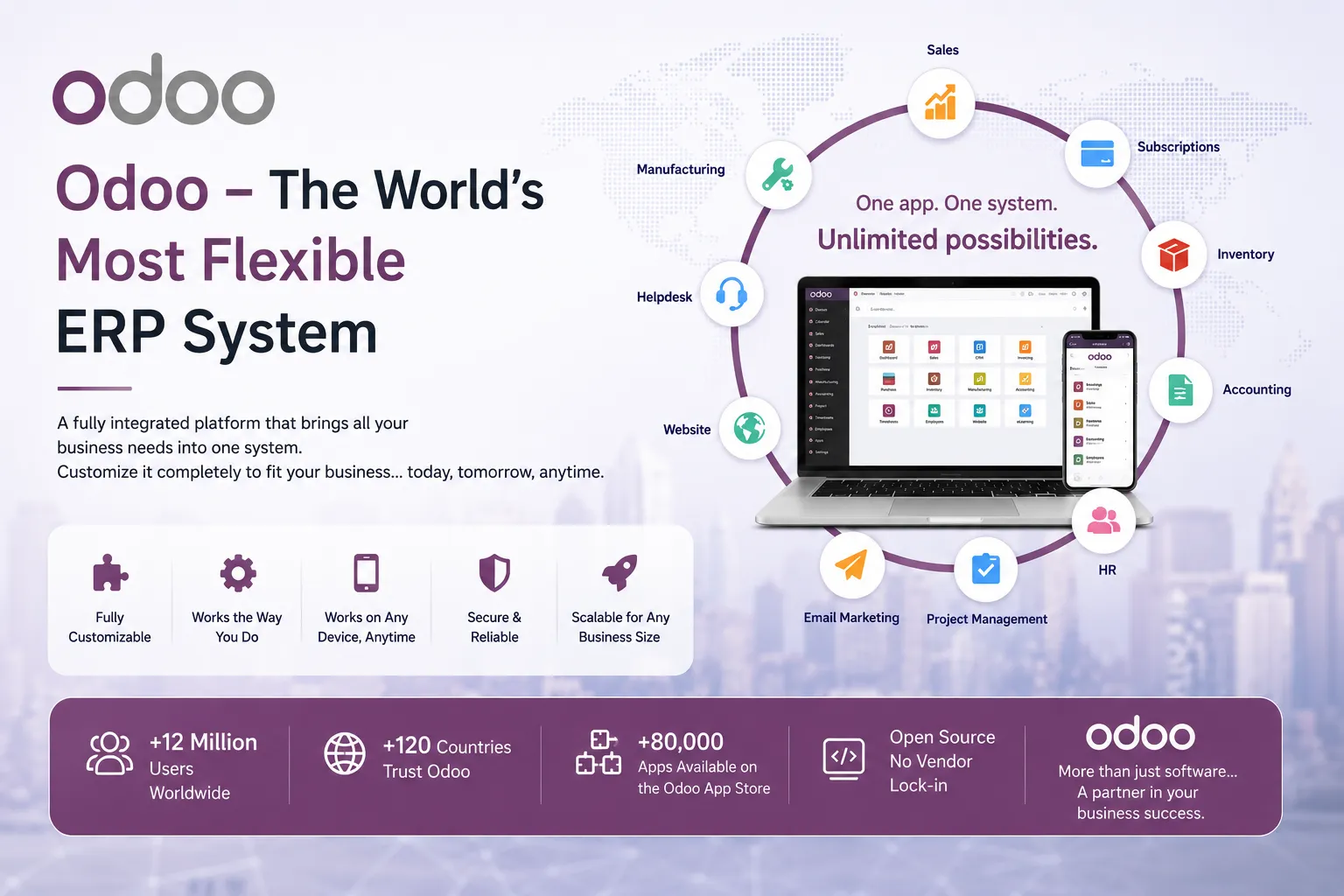
Odoo: The World's Most Flexible Open-Source Business Management Platform
In an era defined by digital transformation, businesses of every scale require integrated platforms that unify all operations under a single roof. Odoo stands as the most comprehensive and adaptable answer to that need — combining the power of Enterprise Resource Planning (ERP) with open-source freedom, deep customizability, and a modular architecture that scales from a two-person startup to a multinational corporation. With over seven million users across more than one hundred and eighty countries, Odoo has evolved from a modest open-source project into one of the most significant business software ecosystems on the planet.
1. The Origins of Odoo
Odoo was born in 2002 in Belgium, conceived and built by Fabien Pinckaers, a software engineer who saw a clear gap in the market: small and medium-sized businesses had no access to truly integrated management software unless they could afford the enormous licensing fees demanded by enterprise giants like SAP or Oracle. His vision was radical for its time — an ERP system built entirely on open-source principles, freely modifiable, and deployable without vendor lock-in.
The earliest version of the system was named TinyERP, a name that honestly reflected its scope at launch. It covered the basics — accounting, inventory, and purchasing — and ran on a GTK-based desktop client that required local installation on every machine. Despite its simplicity, the project attracted a small but devoted community of developers who recognized its architectural promise and began contributing modules, bug fixes, and improvements.
What distinguished Odoo from competing open-source ERP attempts of that era was its choice of Python as its primary language, combined with PostgreSQL as the database engine. Both choices proved prescient: Python's readability and vast ecosystem made it easy for developers worldwide to contribute, while PostgreSQL's robustness and advanced feature set provided a solid data foundation. The company behind the project, today known as Odoo SA, grew steadily alongside the open-source community, eventually establishing headquarters in Louvain-la-Neuve, Belgium, with offices across multiple continents.
Today Odoo's GitHub repository counts contributions from over ten thousand active developers, making it one of the largest open-source business software projects in existence. The dual-model structure — a free Community Edition and a paid Enterprise Edition — has allowed the company to generate sustainable revenue while keeping the core of the platform accessible to everyone, a balance that many open-source businesses struggle to maintain.
2. Evolution: From TinyERP to Odoo 17
Phase One — TinyERP (2002–2009)
In its earliest years, TinyERP operated as a GTK desktop application, meaning that every user needed the client software installed locally. The system covered accounting, inventory management, and basic purchasing workflows. Community contributions during this period were critical: developers from France, Belgium, and India extended the module library considerably, and the project's mailing lists became hubs of active technical discussion. The GTK interface, while functional, imposed a significant barrier to adoption for non-technical users.
Phase Two — OpenERP (2009–2013)
The transition to OpenERP marked the system's first major architectural shift. The desktop GTK client was retired in favour of a full web interface built on XML-RPC, later supplemented by JSON-RPC. This change alone dramatically expanded the platform's reach, since any device with a modern browser could now access the system without local installation. OpenERP 6 introduced a more polished user interface, project management, a CRM module, and a formal partner network that allowed certified companies worldwide to sell, implement, and support the platform. The partner ecosystem grew rapidly and became a key distribution mechanism.
Phase Three — Odoo (2014–Present)
In 2014, the company announced a strategic rebranding from OpenERP to Odoo, accompanied by the release of version 8, which was the most transformative release in the project's history. Version 8 introduced a fully responsive web interface optimised for mobile devices, a drag-and-drop website builder, a native eCommerce module tightly integrated with inventory and accounting, and a point-of-sale (POS) module designed for retail environments. The rebrand was more than cosmetic: it signalled a shift in positioning from "open-source ERP" to "complete business platform."
Odoo 10 (2016) introduced the concept of the Odoo Apps Store, enabling third-party developers to publish and sell modules commercially, vastly expanding the ecosystem. Odoo 12 and 13 focused on performance and usability, while Odoo 14 (2020) began the transition of the front end to OWL (Odoo Web Library), a proprietary reactive JavaScript framework purpose-built for the platform's component model.
Odoo 16 (2022) doubled down on OWL adoption and introduced major performance improvements to core modules, reducing page load times significantly through smarter asset bundling and lazy loading. The accounting module received a complete overhaul, and the platform's spreadsheet integration — allowing pivot-table style analysis directly inside Odoo — was introduced.
Odoo 17, released in October 2023, represents the current apex of the platform's technical evolution. It ships with forty-eight integrated applications, a fully OWL-powered interface, AI-assisted features in sales forecasting and lead scoring, improved multi-company and multi-currency workflows, and a new Knowledge base module for internal documentation. Performance benchmarks show response times that rival specialised single-purpose SaaS applications, a remarkable achievement for a system of such breadth.
3. Technical Architecture and Design
Odoo follows an extended MVC (Model-View-Controller) pattern adapted for the specific demands of a large-scale ERP. Models are written in Python and represent database tables through a custom ORM that translates Python class definitions into SQL schemas automatically. When a developer declares a field on a model, Odoo handles the corresponding column creation and alteration in PostgreSQL, eliminating the need to write raw SQL migrations in the vast majority of cases.
Views in Odoo are defined in XML, describing the structure of forms, lists, kanban boards, calendars, pivot tables, and graphs. The rendering engine on the server converts these XML definitions into JSON structures consumed by the OWL components in the browser, which then construct the actual DOM. This separation means that the same underlying view definition is used across desktop and mobile without duplication.
One of the most powerful architectural decisions in Odoo is its module system. Every feature of the platform — from the accounting chart of accounts to the drag-and-drop website builder — is packaged as a module. Modules declare their dependencies explicitly, and Odoo resolves the dependency graph at installation time. This means the system can be kept lean by installing only the modules required for a given business, rather than loading every feature regardless of need.
How Inheritance Works in Odoo: A Practical Example
Odoo supports three distinct inheritance mechanisms. The most commonly used is classical inheritance (_inherit), which allows a custom module to extend an existing model with new fields or overridden methods without touching the original source code. Here is a concrete example — adding a custom "National Tax ID" field to the standard partner model:
# models/res_partner.py inside your custom module
from odoo import models, fields

class ResPartner(models.Model):
    _inherit = 'res.partner'   # Extend the existing model, do not replace it

    national_tax_id = fields.Char(
        string='National Tax ID',
        size=20,
        help='The company or individual tax registration number.'
    )

    def action_validate_tax_id(self):
        """Custom business logic: validate the tax ID format."""
        for record in self:
            if record.national_tax_id and not record.national_tax_id.isdigit():
                raise ValueError('Tax ID must contain digits only.')
When this module is installed, Odoo automatically adds the national_tax_id column to the res_partner table in PostgreSQL and makes the field available in all partner forms. If Odoo releases an update to the core partner module, the custom module remains unaffected as long as the base model's API has not changed fundamentally. This is the foundation of maintainable Odoo customisation.
The second mechanism is prototype inheritance (_inherits), which delegates certain fields to a parent model via a foreign key — essentially database-level composition. The third is view inheritance, which allows custom modules to inject XML elements into existing views using XPath expressions, without rewriting the original view definition. Together, these three mechanisms make virtually any aspect of the system customisable while preserving upgrade safety.
4. Core Modules and What They Offer
Accounting and Finance
Odoo's accounting module is among the most feature-rich available in the open-source world. It implements full double-entry bookkeeping, supports multi-company and multi-currency scenarios, and provides automated bank reconciliation through direct import of bank statements in OFX, QIF, and CAMT.053 formats. The system generates standard financial reports — balance sheets, profit-and-loss statements, cash flow statements — as well as country-specific tax reports. Fiscal localisation packages exist for over seventy countries, each encoding local chart-of-accounts structures, VAT rules, and statutory reporting requirements.
A particularly powerful feature is analytic accounting, which allows costs and revenues to be tagged to analytic accounts (projects, departments, cost centres) independently of the standard chart of accounts. This enables detailed profitability analysis per project or business unit without complicating the statutory accounting structure.
Sales and CRM
The CRM module provides a visual sales pipeline built on a Kanban board, where each opportunity moves through stages from initial contact to closed deal. Every inbound and outbound email related to a lead is automatically logged against the corresponding record, giving the entire sales team full communication visibility. Quotations generated in CRM flow directly into confirmed sales orders, which in turn trigger inventory reservation and delivery workflows — all without manual data re-entry.
Odoo 17 introduced AI-powered lead scoring, which analyses historical conversion data to prioritise the leads most likely to close, allowing sales representatives to focus their effort where it is most likely to yield results.
Inventory and Warehouse Management
The inventory module supports complex multi-warehouse, multi-location configurations with configurable routing rules. Products can be tracked by serial number or batch/lot number, enabling full traceability from supplier to end customer — a regulatory requirement in pharmaceutical, food, and medical device industries. The system supports multiple costing methods (FIFO, average cost, standard price) and provides real-time inventory valuation that flows automatically into the accounting module.
Manufacturing (MRP)
Odoo's Manufacturing Resource Planning module implements MRP II methodology, covering bills of materials (BoM), work centre management, production order scheduling, and capacity planning. The system supports multi-level BoMs (where a finished product contains sub-assemblies that are themselves manufactured), kit products, and by-products. Work order routing allows each manufacturing step to be assigned to a specific work centre, with time tracking that feeds directly into costing calculations.
Human Resources and Payroll
The HR suite covers the complete employee lifecycle: recruitment pipelines with job posting management, onboarding checklists, contract management, and offboarding workflows. The payroll module supports fully configurable salary structures using a Python-based rule engine that can express complex gross-to-net calculations, tax bracket logic, and statutory deductions for any jurisdiction. Leave management integrates with payroll so that approved absences automatically affect pay calculations without manual intervention.
eCommerce and Point of Sale
The eCommerce module creates a fully functional online store directly integrated with Odoo's inventory and accounting. Product pages, categories, variants (colour, size, material), pricelists, and promotional codes are all managed from a single backend interface. The checkout process supports multiple payment gateways including Stripe, PayPal, Adyen, and Mollie. The Point of Sale module extends this to physical retail environments, with an offline-capable interface that continues operating during network outages and syncs automatically when connectivity is restored.
5. Community vs. Enterprise Edition
The Community Edition provides full access to Odoo's source code under the LGPL-3 licence, making it freely usable, modifiable, and redistributable. It is an excellent choice for businesses with strong in-house technical teams capable of managing servers, applying updates, and resolving issues independently. The community edition covers the essential business modules — accounting, sales, inventory, manufacturing, project management, and CRM — with full functionality for typical operational workflows.
The Enterprise Edition layers additional capabilities on top of the community base, accessible through a per-user annual subscription. Key Enterprise-exclusive features include Odoo Studio, a no-code customisation tool that lets non-developers modify forms, add fields, create custom reports, and build new applications through a graphical interface. Other Enterprise exclusives are the Sign module for legally binding electronic signatures, the Helpdesk module with SLA management and customer portal integration, Field Service for mobile field technician management, and the Consolidation module for multi-company financial reporting.
Pricing for the Enterprise Edition scales with user count and the number of applications activated. This per-user-per-application model means a company can start small — paying only for the modules genuinely in use — and expand its subscription as the business grows. Compared to SAP Business One or Microsoft Dynamics 365, where upfront licensing and implementation costs routinely reach six or seven figures, Odoo Enterprise offers a compelling total cost of ownership for growing businesses.
6. Deployment Methods and Installation
On-Premise Deployment
On-premise installation is the preferred route for organisations with data residency requirements, regulatory constraints, or existing server infrastructure. Odoo runs on Ubuntu 22.04 LTS or Debian 12 (the officially supported distributions), though it can be deployed on other Linux distributions with some additional configuration effort. The core dependencies are Python 3.10 or later, PostgreSQL 14 or later, and a set of Python packages listed in the project's requirements.txt file.
A production on-premise setup should place Nginx in front of Odoo as a reverse proxy, handling SSL termination and static file serving efficiently. Odoo's built-in HTTP server is capable but not optimised for serving static assets at scale. The Odoo process itself should be managed as a systemd service to ensure automatic restart on failure and clean shutdown on system reboot. For high-availability deployments, multiple Odoo worker processes can be configured to handle concurrent requests, with the number of workers tuned to the server's available CPU cores.
Docker and Container-Based Deployment
Docker has become the dominant deployment method for Odoo in both development and production environments. Official Odoo images are published on Docker Hub and updated with each new release. A minimal docker-compose.yml file can bring up a fully functional Odoo instance alongside its PostgreSQL container in under two minutes. Containerisation provides consistent environments, easy rollback to previous image versions, and the ability to run multiple isolated Odoo instances on a single host — invaluable for managing development, staging, and production environments on the same hardware.
Odoo Online (SaaS)
Odoo Online is the fully managed SaaS offering operated by Odoo SA. It requires no server management, no database configuration, and no update planning — all infrastructure concerns are handled by the platform. Users simply create an account, select their applications, and begin working within minutes. The trade-off is customisation depth: Odoo Online does not permit the installation of third-party modules or custom Python code, restricting users to the standard module catalogue and Odoo Studio-level customisation.
Odoo.sh (Platform as a Service)
Odoo.sh occupies the optimal middle ground for development teams who need custom code but want managed infrastructure. It integrates directly with GitHub, so pushing a commit to the connected repository triggers an automatic build and deployment on the platform. Odoo.sh supports multiple branch types: production, staging, and development branches, each with its own database and live URL. Staging branches can be forked from production with a real copy of production data, enabling realistic testing before any change reaches live users. Automated backups, log streaming, and shell access to the container round out a developer experience that combines operational convenience with technical flexibility.
7. Customisation and Module Development
Building a custom Odoo module is a structured process that follows a well-documented convention. Every module lives in its own directory, and the minimum required file is __manifest__.py, which declares the module's metadata, version, dependencies, and data files. The directory structure for a typical module looks like this:
my_custom_module/
├── __init__.py
├── __manifest__.py
├── models/
│   ├── __init__.py
│   └── sale_order_extension.py
├── views/
│   └── sale_order_views.xml
├── security/
│   ├── ir.model.access.csv
│   └── security_groups.xml
├── data/
│   └── email_templates.xml
├── report/
│   └── custom_invoice_template.xml
└── static/
    └── description/
        └── icon.png
The manifest file ties everything together:
# __manifest__.py
{
    'name': 'Custom Sales Extension',
    'version': '17.0.1.2.0',
    'summary': 'Extends the sales order with custom approval workflows.',
    'author': 'Your Company',
    'category': 'Sales',
    'depends': ['sale_management', 'account'],
    'data': [
        'security/security_groups.xml',
        'security/ir.model.access.csv',
        'views/sale_order_views.xml',
        'data/email_templates.xml',
    ],
    'installable': True,
    'application': False,
    'licence': 'LGPL-3',
}
View Inheritance with XPath
Adding a field to an existing form view without touching the original view definition uses XPath expressions in the inherit_id mechanism:
<!-- views/sale_order_views.xml -->
<odoo>
  <record id="sale_order_form_custom" model="ir.ui.view">
    <field name="name">sale.order.form.custom</field>
    <field name="model">sale.order</field>
    <field name="inherit_id" ref="sale.view_order_form"/>
    <field name="arch" type="xml">
      <xpath expr="//field[@name='partner_id']" position="after">
        <field name="custom_approval_required"/>
        <field name="custom_approval_user_id"
               attrs="{'invisible': [('custom_approval_required','=',False)]}"/>
      </xpath>
    </field>
  </record>
</odoo>
This XML instructs Odoo to find the standard sale order form view, locate the partner_id field within it, and insert the two custom fields immediately after it. The attrs attribute adds conditional visibility logic, hiding the approver field when approval is not required. The entire customisation is self-contained within the custom module and survives Odoo upgrades cleanly.
Automated Tests
Odoo provides a built-in testing framework derived from Python's unittest module. Every well-maintained module should include automated tests that cover its business logic. Tests are placed in a tests/ directory and can be executed with the --test-enable flag during module installation or update. Testing custom methods, onchange handlers, and constraint validators in isolation prevents regressions when upgrading Odoo or modifying the module at a later date.
8. Modern Best Practices
The Golden Rule: Never Edit Core Code
The single most important principle in any Odoo project is to never modify files belonging to standard Odoo modules directly. Any such change is overwritten on the next system update, leaving the instance in an inconsistent state that is difficult to debug and impossible to support officially. All customisations must be encapsulated in dedicated custom modules that use inheritance mechanisms — this is not merely a best practice but the technical contract between the core platform and its extension ecosystem.
Database Performance Optimisation
As data volumes grow, database query performance becomes the primary bottleneck in most Odoo installations. Adding PostgreSQL indexes on fields frequently used in search filters and ordering operations can yield dramatic performance improvements. Odoo's ORM allows index definition directly on the model field declaration using the index=True parameter. For complex analytical queries, database views or materialised views in PostgreSQL can pre-aggregate data that would otherwise require expensive real-time computation across millions of rows.
Avoiding the N+1 query problem is equally important: when processing a set of records in a loop, always use search_read() with explicit field lists rather than browsing records one at a time and accessing their relational fields individually. Odoo's ORM prefetches relational fields intelligently when records are processed as a set, but only if the developer avoids breaking the set into individual iterations prematurely.
Security and Access Control
Odoo's security model operates at two levels. Access Rights (ir.model.access) define which CRUD operations (create, read, update, delete) each user group is permitted to perform on each model globally. Record Rules (ir.rule) add row-level restrictions, limiting which specific records within a model a user can see or modify — for example, restricting a sales representative to viewing only leads assigned to themselves. Both mechanisms are declared in XML and CSV files within the module, making them auditable and version-controlled alongside the code.
Upgrade Planning and Version Management
Odoo SA releases one major version annually, typically in October. Each major version introduces new features and architectural changes that may require updates to custom modules. A rigorous upgrade process involves: running the official Odoo upgrade scripts against a copy of the production database, installing the updated custom modules, executing the full automated test suite, conducting user acceptance testing in a staging environment for several weeks, and only then scheduling the production migration during a low-traffic window. Skipping stages in this process is the most common cause of painful production incidents.
Version Control and Documentation
Every Odoo project should maintain its custom modules in a Git repository with a clear branching strategy: a stable branch mirroring production, a development branch for ongoing work, and feature branches for individual tasks. Commit messages following the Conventional Commits specification, combined with issue tracker references, make the history of changes traceable and understandable to new team members months or years later. Inline Python docstrings and XML comments are not optional luxuries in production codebases — they are maintenance infrastructure.
9. Use Cases and Industry Verticals
In the retail and distribution sector, Odoo is widely deployed for omnichannel operations that combine physical stores with online sales. A clothing retailer with ten branches, for example, can manage all store POS terminals, the eCommerce storefront, replenishment from a central warehouse, and consolidated financial reporting from a single Odoo instance. Stock movements triggered by a sale online are reflected immediately in warehouse inventory, preventing overselling during high-traffic events.
Manufacturing companies find particular value in the tight integration between the MRP module and inventory, quality control, and accounting. A food producer can configure Odoo to track every raw material batch used in a production run, enabling a complete recall trace — from the finished product on a retailer's shelf back to the specific supplier delivery — in minutes rather than days. The maintenance module adds predictive maintenance scheduling for production equipment, reducing unplanned downtime.
Professional services firms — including legal practices, consulting agencies, architectural studios, and IT service companies — rely on the tight integration between the Project and Timesheet modules. Consultants log hours against specific project tasks; those logged hours flow into invoicing either as fixed-price milestones or time-and-materials billing lines, depending on the contract type defined in the sale order. The profitability analysis report then compares planned versus actual hours and costs per project in real time.
In healthcare and pharmaceutical contexts, Odoo's batch and serial number traceability satisfies regulatory traceability requirements in markets governed by standards such as GMP (Good Manufacturing Practice) and EU Falsified Medicines Directive (FMD). Clinics use Odoo for patient appointment scheduling, invoicing insurance companies, and managing pharmaceutical stock with expiry date tracking — preventing dispensing of expired medicines through automated FEFO (First Expiry First Out) routing.
Educational institutions from small language schools to large universities have deployed Odoo for student enrolment management, fee collection, timetabling, and HR management of teaching staff. The website module allows prospective students to browse programme catalogues and submit enrolment applications online, while the backend manages admission workflows, document verification, and payment tracking — all within a unified platform.